Diner
Know what is available and when to collect it.
Enter through the location’s device code, choose an available dish and track the order after payment. Eligible meals that have not entered production can follow a refund workflow.
Connect QR ordering, payments, cooking receipts and collection with a companion mini program and an operator workspace for stock, recipe permissions and service exceptions.
Selling a meal requires an available menu, a payment record and an accountable service journey.
China’s National Bureau of Statistics reported RMB 5.7982 trillion in catering revenue for 2025. This is context for the broader catering sector, not an estimate of the cooking robot market. For an operator, the immediate questions are local: can a customer order, can the device fulfil that order, and can someone resolve a failed handoff?
National Bureau of Statistics · 2025Business relationship illustration. Ingredient replenishment, cleaning and food safety remain the operator’s responsibility.
Enter through the location’s device code, choose an available dish and track the order after payment. Eligible meals that have not entered production can follow a refund workflow.
Update portions after replenishment and stop new orders when ingredients or the device are unavailable. Investigate existing tasks rather than sending a new cooking command blindly.
Manage device ownership and shared recipe permissions. Each merchant works within its own menu, inventory and orders; operations, finance and support have different access rights.
Different automation models suggest different choices for integration and ownership.
OMNI combines commercial cooking hardware with cloud recipes. KMES links an incoming order with the start of cooking. The useful lesson is to treat kitchen execution as an operating system, rather than a standalone appliance feature.
Chain restaurants and commercial kitchens evaluate the equipment, kitchen integration and associated services. Pricing and licensing require supplier confirmation.
Official product informationAdopt the mechanism: link each sellable dish to a validated recipe version and each order to a specific device task.
Boundary: Chinese mini program payments, multi-merchant settlement and third-party hardware licensing require separate evaluation. No integration with BOTINKIT is claimed.
Analysis of public supplier material, not a hands-on assessment of authenticated products. Supplier performance claims are not commitments for this solution.
If the existing cloud service already covers menus, payments and single-site operation, assess configuration, ongoing charges and data portability before commissioning new software.
Verify coverage and recurring costsWhen a POS or mini program is already in use, link orders to device tasks, receipts and refunds without duplicating the menu or customer base.
Test one order in both directionsConsider custom development when multiple device models, merchants, private recipes or reconciliation rules need a common operating layer.
Start with documented interfaces and permissionsA consumer mini program and a shared operator workspace serve distinct responsibilities.
One order connects a meal, a device task and an auditable set of receipts.
Designed for commercial cooking device brands, fleet operators and multi-site foodservice businesses. A WeChat mini program and Web workspace coordinate ordering and operations while the existing Qt client, firmware and device safety controls retain their responsibilities.
Device-specific menus, stock reservations, payment, progress and refund requests
Access to the diner’s own orders↕Inventory, device availability, recipe permissions, exceptions and audit events
Merchant and role scopes↕Orders and lines, reservations, payment transactions, device tasks and refunds
Linked objects with separate states↕Task acceptance, heartbeats, recipe versions and cooking receipts
Requires device and protocol validationResolve the device code, check availability and load the correct menu. Changing devices releases the previous cart reservation so an order cannot silently move to a different kitchen.
Keep paid orders pending dispatch. On reconnection, query the original task before retrying. Escalate unresolved or expired fulfilment to support.
Do not create a fresh task blindlyPayment, cooking and refund completion each need their own source of confirmation.
Use validated cooking rules. Generative AI does not control the first release.
Validate temperature, timing, ingredients and rotation against the dish and device. Authorised staff publish a version linked to compatible equipment.
Emergency stops, lid checks, thermal controls and power-loss recovery belong to the device. A cloud event, phone interface or generated text cannot replace these controls.
Future copy or alert summaries could use approved information with human review. They would not automatically change recipes, allergen statements, prices or refunds.
Use the selected WeChat Pay integration’s signature checks, amount validation, duplicate handling and order queries. Track payment, refund and fulfilment separately; a client redirect is not a settlement record.
Plan a reliable event outbox, task deduplication and MQTT/REST adapter. Message delivery and cooking completion are different events. Task history and recovery depend on the device’s actual protocol and storage.
Validate merchant, role, resource and recipe permissions on the server. Audit access changes, configuration, refunds and recipe dispatch. Hidden frontend buttons do not enforce isolation.
A sample device, firmware state model, payment entity and site network are implementation inputs. Set capacity targets from the cooking cycle and load tests. The current interactive prototype uses simulated payments and device events.
Use site operations and real device tests to guide a practical rollout.
Bind the entry code to a device, expose queue progress and coordinate replenishment. Limit new orders when production is constrained.
Validate peak throughput and site staffingUse location opening hours, an accountable contact and an exception workflow. Coordinate collection, cleaning and food safety with onsite operations.
Validate permissions, location and maintenanceMap POS orders to authorised device recipes and return exceptions to the original order record, avoiding two separate transaction ledgers.
Validate POS access and menu mappingAssign devices and recipe permissions to merchants. Reconcile menus, data and unfinished tasks when equipment changes ownership or lease.
Validate contracts, payment entities and transfersCollected orders ÷ paid orders
Segment by location, service window and exception cause. Report refunded and unresolved orders separately.
Unique device executions ↔ ordered meals
Test duplicates, reconnection and cancellation races. Message delivery is not a substitute for a meal completion metric.
Refund completion − eligible request time
Distinguish automated processing from human investigation and reconcile against payment and device records.
Assess protocol integration, cloud services, payment charges, training, maintenance and exit costs together. Released staff time becomes a commercial benefit only when a real staffing or additional service outcome is demonstrated. No fixed savings or return is assumed.
Review device states, task queries, recipe versions, payment and refund entities, site permissions and supplier responsibilities. Convert critical unknowns into sample-device tests.
In an authorised test environment, connect an order, payment result, device acceptance, cooking receipt and refund. Inject duplicates, disconnections, rejections and timeouts.
Cover normal ordering, stock shortages, reconnection, unstarted-meal refunds and support escalation. Agree samples, metrics, thresholds and onsite ownership before expansion.
Extend the validated path with tenant isolation, recipe permissions, recovery and load testing. Deliver code, protocol mappings, deployment guidance and operating documentation.
Validate duplicate callbacks, reconnection and cancellation races before a real-device rollout. Capacity, schedule and commercial terms follow the agreed scope.
This solution covers commercial meal ordering and collection, with an operator workspace. Home recipes, household device controls and content subscriptions need a different product assessment.
It simulates device messages and payment results. Production integration requires a sample device, a documented protocol, task queries, defined safety responsibilities and authorised testing. Universal device compatibility is not claimed.
Start with configuration or integration if the current manufacturer platform or POS meets the operating needs. Consider custom software only for material differences in merchant rules, device adaptation, recipe permissions or reconciliation.
The operator owns food handling, cleaning, site permissions and onsite food safety. The equipment supplier owns device safety controls. Software supports traceability and exception handling; it does not replace licensing or safety validation.
Device models and samples, protocol and state documentation, menus and approved recipes, the payment entity, site workflows and existing system interfaces. These determine pilot scope and acceptance before costs, dates or capacity are agreed.
Start with your devices, locations and payment journey to define the right integration and development scope.
Related solutions
AI, capital-markets docs, OCR, vision, IoT and membership operations — composable for your industry.
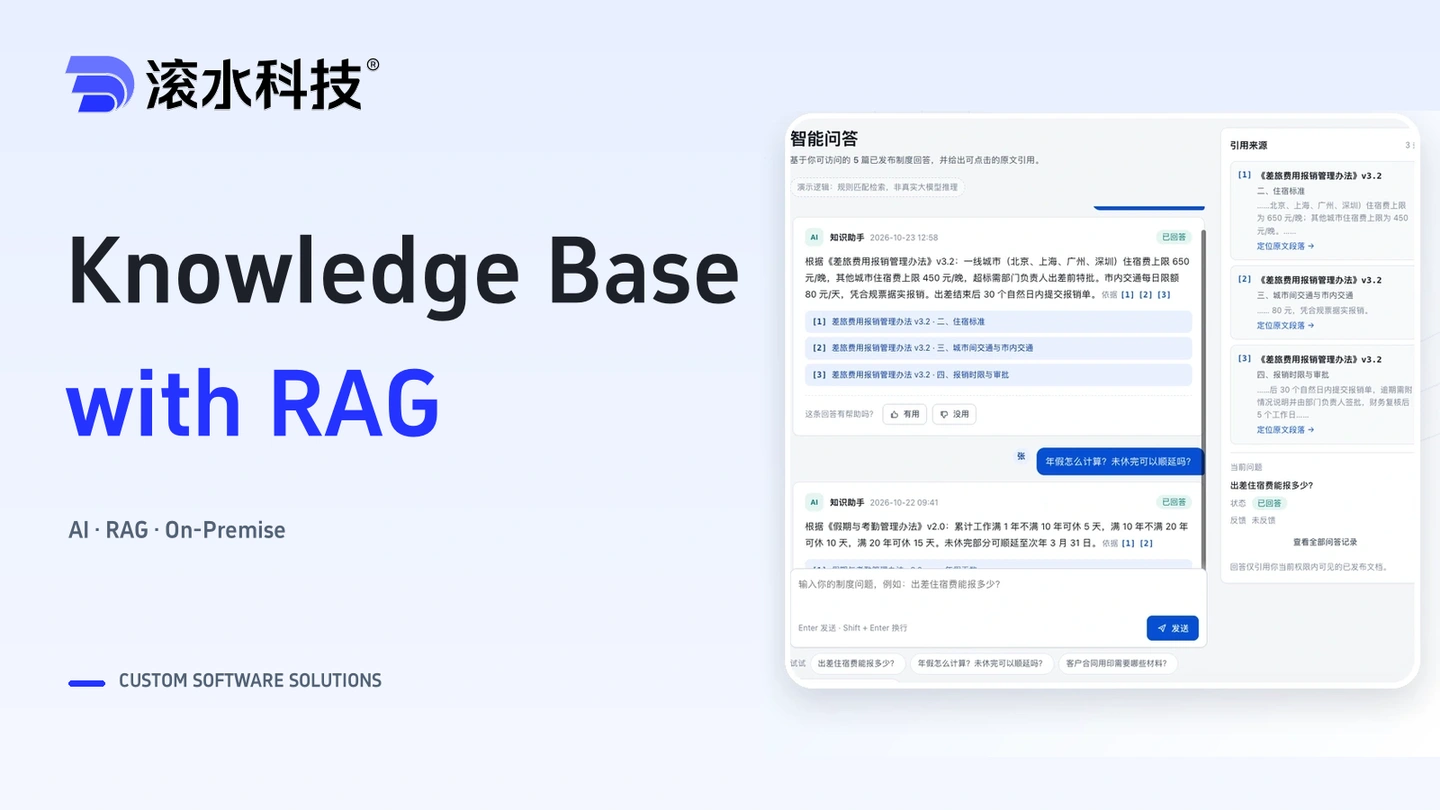
Connect enterprise documents and business knowledge with source citations and access controls. Start with a model API, or deploy processing, retrieval, and inference on an appliance for fully internal use.
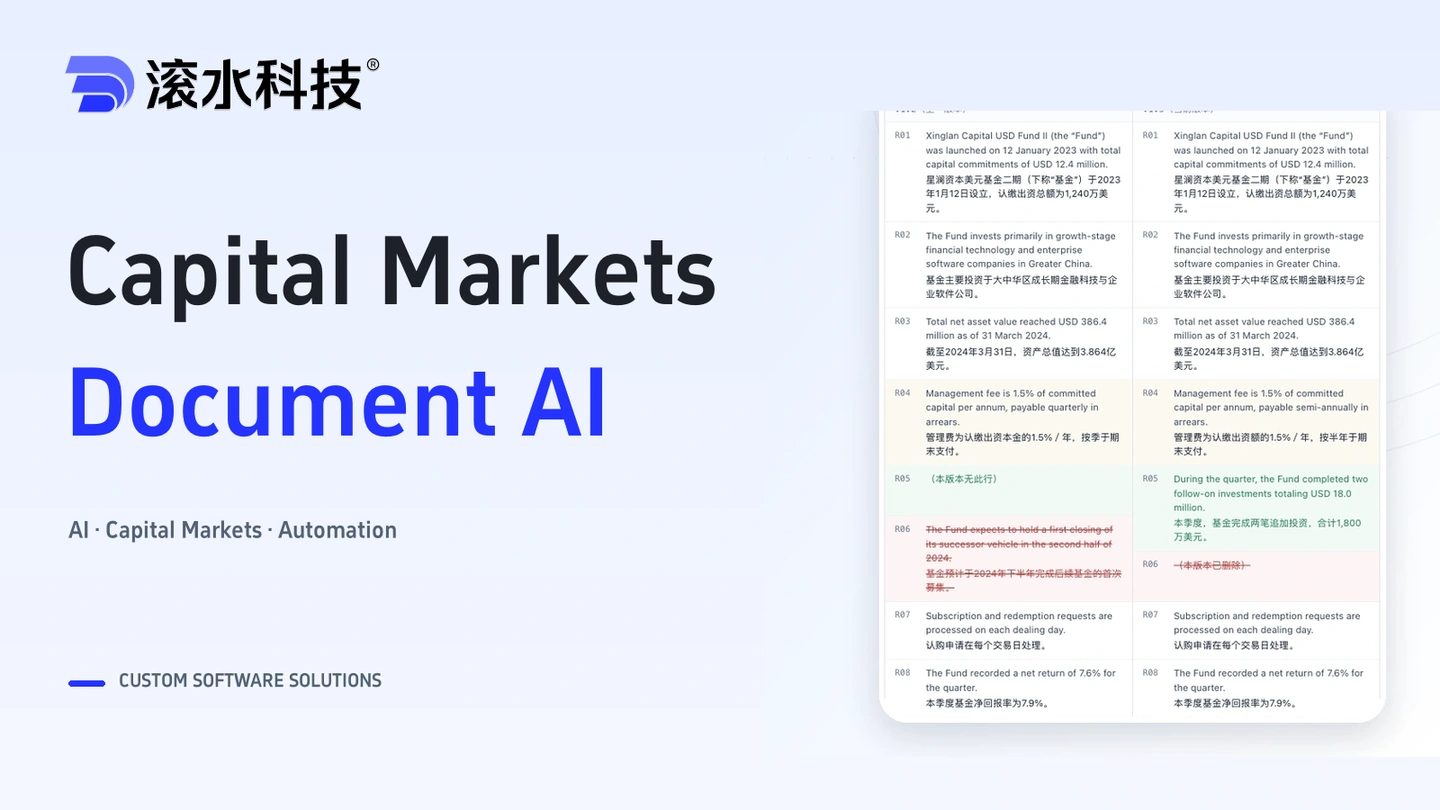
Connect terminology checks, version comparisons, human review and project handoffs for bilingual financial documents, with traceable decisions and review records.
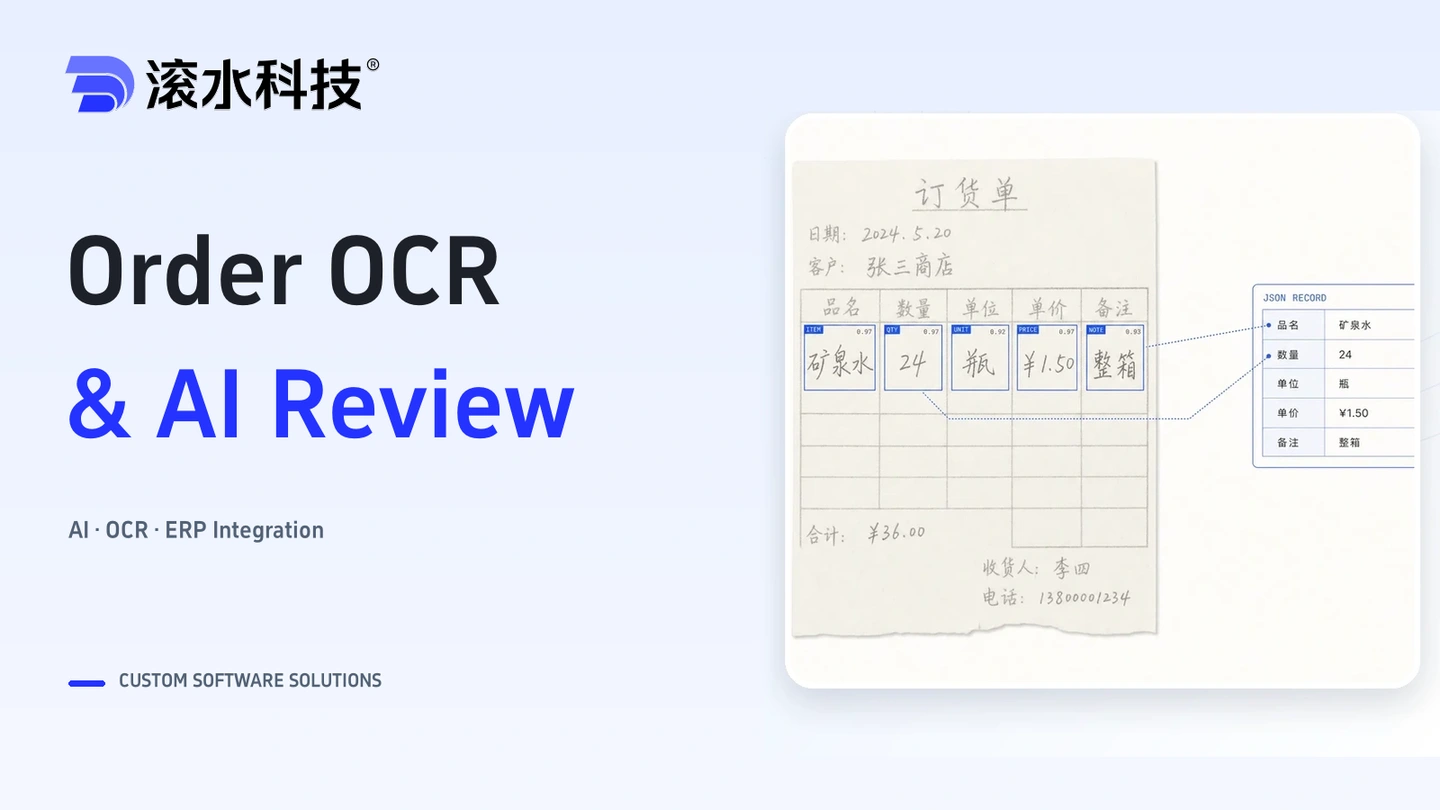
Turn handwritten orders into structured records through field extraction, validation, and human review, ready for integration with your order management workflow.