Know what to do next
Explain power, proximity and permissions. Show audio playback and app control as separate connections when their states differ.
Build a branded iOS and Android experience for speaker discovery, device controls, sound settings and support. Integrate your authorized hardware protocol with clear feedback for every connection and setting change.
Setup, sound settings and support remain part of the product after the speaker is sold.
The service continues after the sale.
Physical buttons and system Bluetooth settings support basic listening. A branded companion app can add device status, sound preferences, settings guidance and support. JBL, Bose and Marshall provide established examples of this service model. The opportunity is to make your own hardware capabilities easier to use.
Music engagement and home-audio statistics provide context. They do not measure the market for custom speaker apps. Investment depends on the brand’s product roadmap, protocol access and service requirements.
Explore the industry researchHardware + Companion experience
Explain power, proximity and permissions. Show audio playback and app control as separate connections when their states differ.
Maintain a supported-device matrix and map controls to documented capabilities and parameter ranges.
With the user’s consent, capture relevant connection and command outcomes so app issues can be separated from hardware faults.
Define the software around documented hardware capabilities and real user tasks.
An app organized around compatible devices, personalization, supported speaker grouping, software updates and support. The model and protocol determine available capabilities.
The application is free and extends the hardware experience. Its existence does not grant another brand a white-label license or access to its control protocols.
Official product informationAdopt explicit compatibility and capability branches. Validate grouping against your own hardware before including it.
| Approach | When it fits | What to verify |
|---|---|---|
| Licensed OEM application | Existing features and branding options fit | Verify white-label, protocol, distribution and maintenance rights before commissioning new software. |
| Integrate into an existing app | A customer app exists but lacks device controls | Add protocol adapters, status reads and recovery while retaining existing services. |
| Custom companion application | Brand journeys or device rules need specific behavior | Build against an authorized protocol and include a real-device test matrix and maintenance scope. |
| System Bluetooth and buttons | Additional settings or services are unnecessary | Keep the lightweight experience and add an app only when the user task justifies it. |
Organize discovery, control, confirmation and return visits around the speaker.
Make device status clear—and make every confirmed setting trustworthy.
A companion app for speaker brands with an available control protocol. Start with local connectivity, status, sound settings and saved preferences for one model. Manage differences through a model and firmware capability matrix.
Identify supported devices and guide permission requests.
Confirm settings through device responses, then update the UI.
Load saved preferences while reading the speaker’s current state.
Use existing music services and system output selection.
Read status, send settings and receive acknowledgements.
Local control first. Add accounts, cloud services or an admin console only for an agreed service need.
Explain permission use, identify a supported device, connect and read its identity and current settings.
Explain the task that needs access and let the user retry later. Do not scan before permission is available.
Give the app and firmware distinct responsibilities and explicit recovery paths.
Use manual EQ, deterministic presets and step-by-step troubleshooting in the first release. These tasks do not require AI. Prioritize connectivity, protocol acknowledgements and consistent settings.
A later manual-assistance feature would need licensed brand knowledge, source-backed answers and a support handoff. Acoustic calibration and voice control require separate hardware and audio-processing assessment.
Handle permissions, discovery, connection and app lifecycle on iOS and Android. Validate behavior on the agreed OS versions and physical devices.
The brand supplies service UUIDs, characteristics, commands, authentication and read-back rules. Capabilities determine available controls.
Separate edited, pending and confirmed values. Handle retries, timeouts and reconnection without blindly replaying stale commands.
Basic local control can work without an account. Store preferences locally; explain and request confirmation before any diagnostic upload.
Agree on protocols, test hardware and acceptance criteria before scaling.
Focus on reconnection, battery visibility and supported sound presets.
Validate low battery, changing range and reconnect behavior.
Break down by OS, device, firmware and permission state.
Record failure causes and latency as well as button response.
Compare against the current process to test diagnostic usefulness.
Measure connectivity and service improvements in a real-device pilot. The brand, software team and firmware team maintain the support matrix together. Scope, schedule and fees follow protocol and hardware review.
Supply authorized specifications, test firmware and target models; agree how each setting executes.
Test both platforms for discovery, connection, reads and confirmed writes, including denial, dropouts and timeouts.
Build device screens, sound settings, preferences, help and agreed diagnostics against the capability matrix.
Validate on the agreed matrix and hand over source, adapter documentation, test records and release materials.
Product flows and interface design can start first. Real controls require authorized protocol or SDK access, samples and test firmware. Validate that connection before committing to integration scope.
Treat playback and device control as separate paths. This solution focuses on settings and state. Music normally uses the phone’s existing audio route and music apps; content services require their own authorization.
Local controls can work without registration. Define additional services and permissions only when remote support, device records or cross-device account sync are required.
Support is limited to authorized target protocols. Chipsets, models and firmware expose different capabilities, so the product needs an explicit support matrix.
The demo is a static interaction prototype. Discovery, connections, settings and failures are simulated locally. It does not control Bluetooth hardware, play music or update firmware.
Share your target models, protocol or SDK, test hardware and app plans to define the first software release and its acceptance criteria.
Related solutions
AI, capital-markets docs, OCR, vision, IoT and membership operations — composable for your industry.
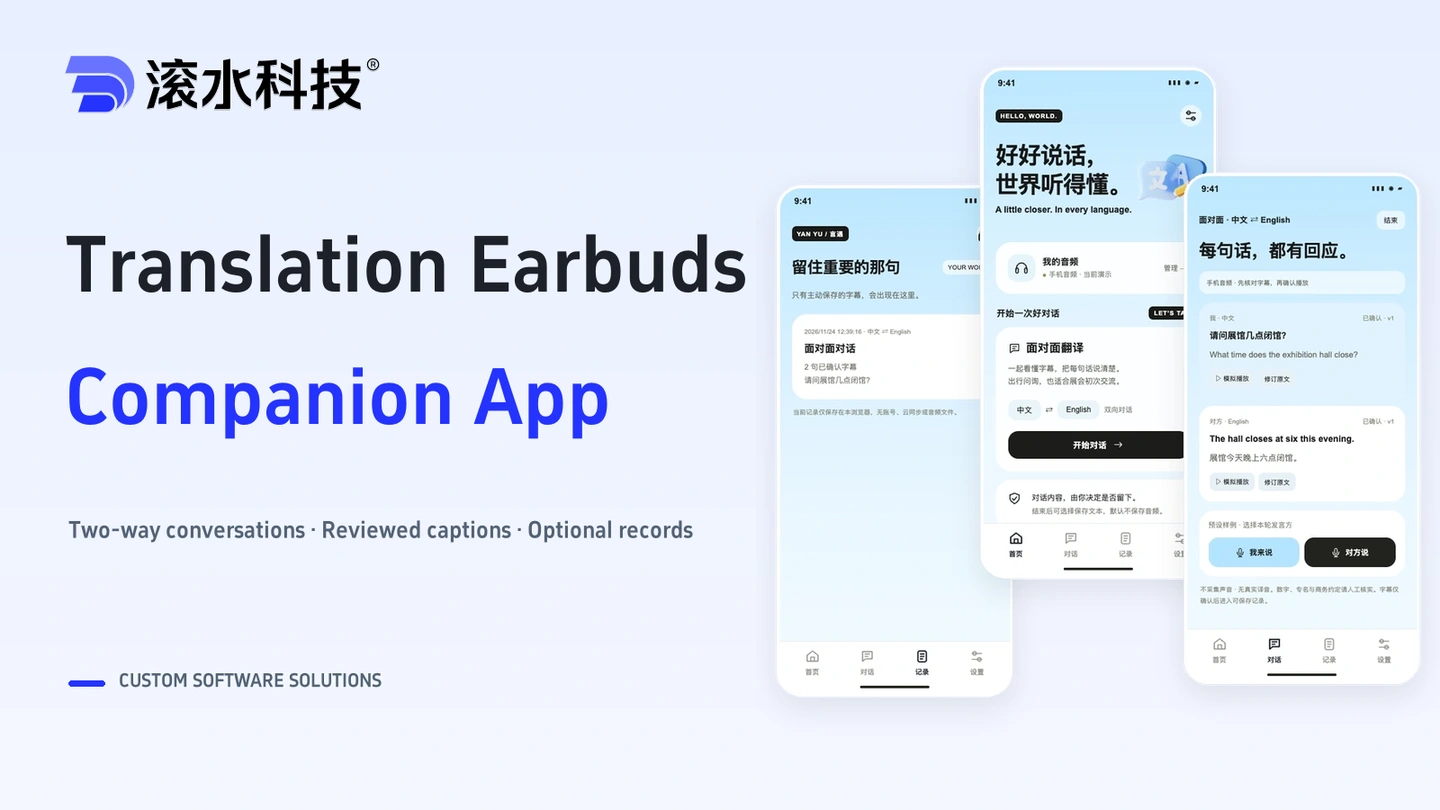
A branded companion app for turn-taking conversations, reviewed captions, clear audio routing and optional records.
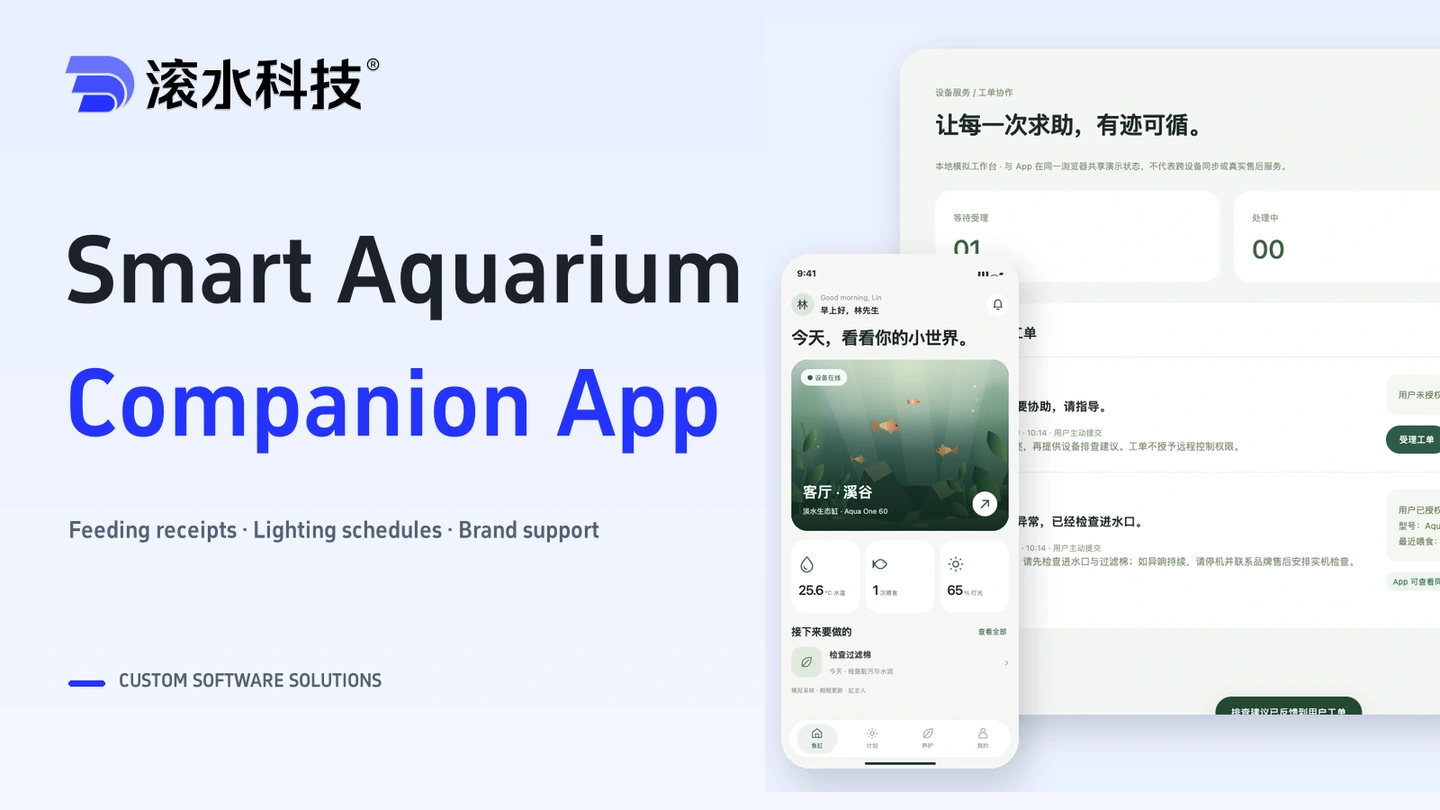
Connect device status, acknowledged feeding, lighting schedules, care records and consented support for aquarium equipment brands.
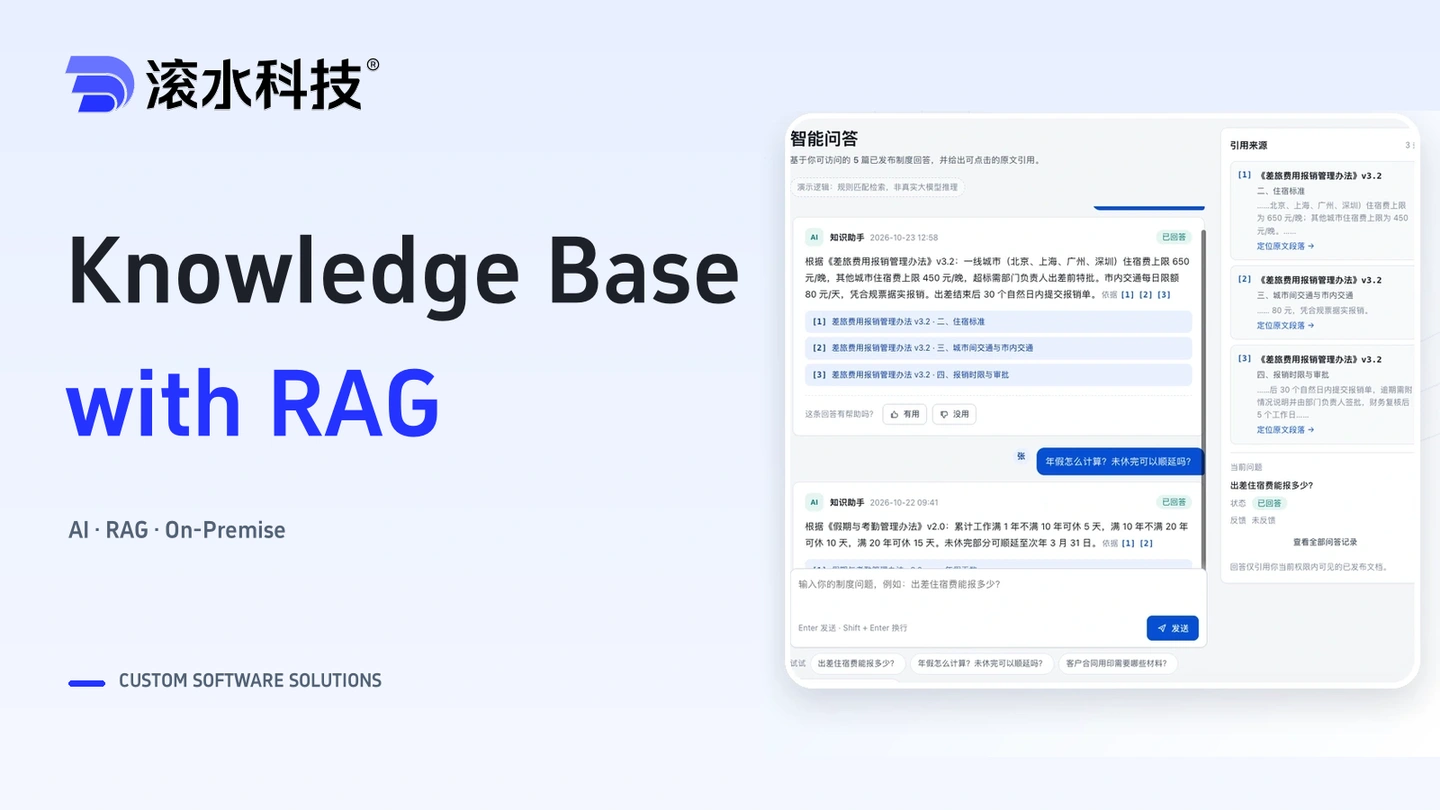
Connect enterprise documents and business knowledge with source citations and access controls. Start with a model API, or deploy processing, retrieval, and inference on an appliance for fully internal use.